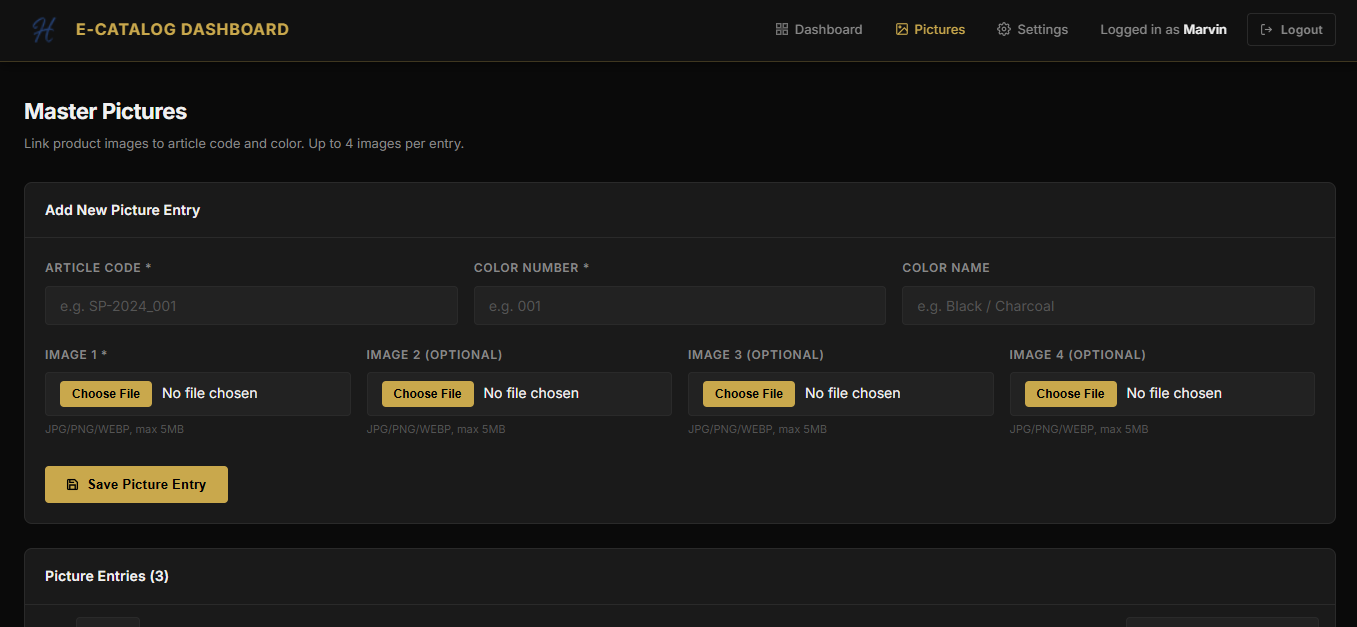
An e-catalog system is not only a nicer way to present products. Used properly, it becomes a workflow improvement tool for product, sales, marketing, and operations teams.
The most valuable change is centralization. Instead of updating product information across spreadsheets, design files, and separate PDF exports, the team works from a single controlled data source. Product names, descriptions, images, prices, and availability can be reviewed once and reused many times.
Where The Manual Work Usually Happens
Most catalog workflows become slow because the same data is handled repeatedly:
- product teams maintain spreadsheets
- marketing teams request image changes
- sales teams ask for updated PDF files
- managers review inconsistent versions
- customers receive outdated catalog links
When the process is moved into a dashboard, each role can work from the same source and the catalog output becomes easier to control.
What A Good E-Catalog Workflow Should Include
A practical e-catalog system should support bulk upload, image management, filtering, preview, publishing, and export. For larger teams, it should also support approval flow and version history.
The goal is not only to make a PDF faster. The goal is to make product information trustworthy.
Business Impact
The biggest result is usually speed. New products can be added faster, outdated products can be removed faster, and sales teams can share updated material without waiting for manual design or developer work.
This is the kind of workflow where small process improvements compound quickly because the catalog is touched by many departments.
Gallery